

1. Ease of use and user experience
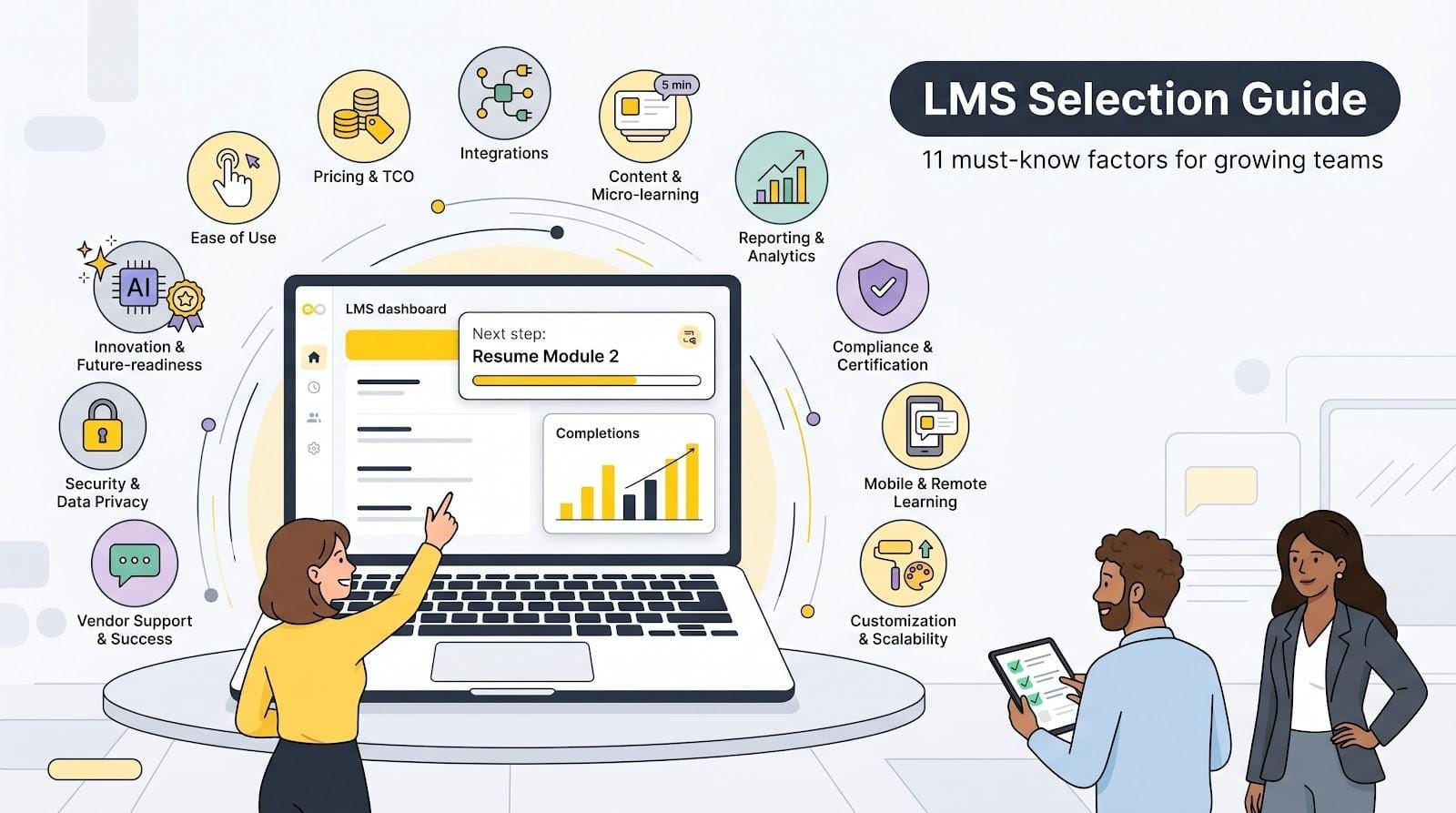
If employees trip on the sign-in screen, nothing else on your wish list matters. A learner-friendly LMS lets people say, “I figured it out myself,” while admins build a course before their coffee cools.
A clear dashboard shows one next step—resume Module 2, finish a quiz, or pull tomorrow’s safety checklist—without hidden menus. On the admin side, drag-and-drop builders and point-and-click reports save HR and IT from endless “Where’s my course?” tickets. According to a 2025 Brandon Hall Group survey, companies that rate their LMS as “easy to use” report 42 percent higher course-completion rates. Independent reviewers note that small and mid-size businesses can launch GoSkills LMS in roughly an hour without specialist help; you can read the full comparison to see how that rapid setup stacks up against other platforms.
Run two five-minute tests during any trial:
- Hand the learner link to a new hire and watch—no coaching.
- Ask a non-technical colleague to load a short video, add a quiz, and publish.
If either person hesitates, the platform is working against you. An intuitive LMS pays off fast with higher completion, fewer support requests, and a culture that treats learning as a daily habit, not a hurdle.
2. Pricing structure and total cost of ownership
Sticker price is only the opening act. The true spend hides in the fine print: licence model, add-on fees, and the hours your team wastes coaxing stubborn software to behave.
Start with the licence. Some vendors charge for every registered user, even if half log in once a year. Others bill only for monthly active users, so costs rise and fall with genuine engagement. Mid-size firms with seasonal or project-based training often save five-figure sums by choosing the latter.
Next, hunt for hidden costs. Implementation, premium support, API access, course libraries, and extra storage can each inflate the first-year invoice. According to Software Advice’s 2025 LMS Pricing Report, add-on fees raise year-one spend by an average of 18 percent. Ask for a line-item quote and a three-year projection; hesitation is a red flag.
Finally, value your own time. A cheaper, awkward platform drains productivity every time an admin rebuilds a broken report. A slightly pricier system that just works often wins the TCO race by freeing staff for real work.
Run the numbers with ruthless honesty. The platform that looks affordable on day one can become the costliest lesson you ever buy.
3. Integration and compatibility
An LMS lives or dies by how well it plays with the rest of your tech stack. When systems talk, enrollments flow automatically, reports stay in sync, and learners sign in once instead of juggling passwords.
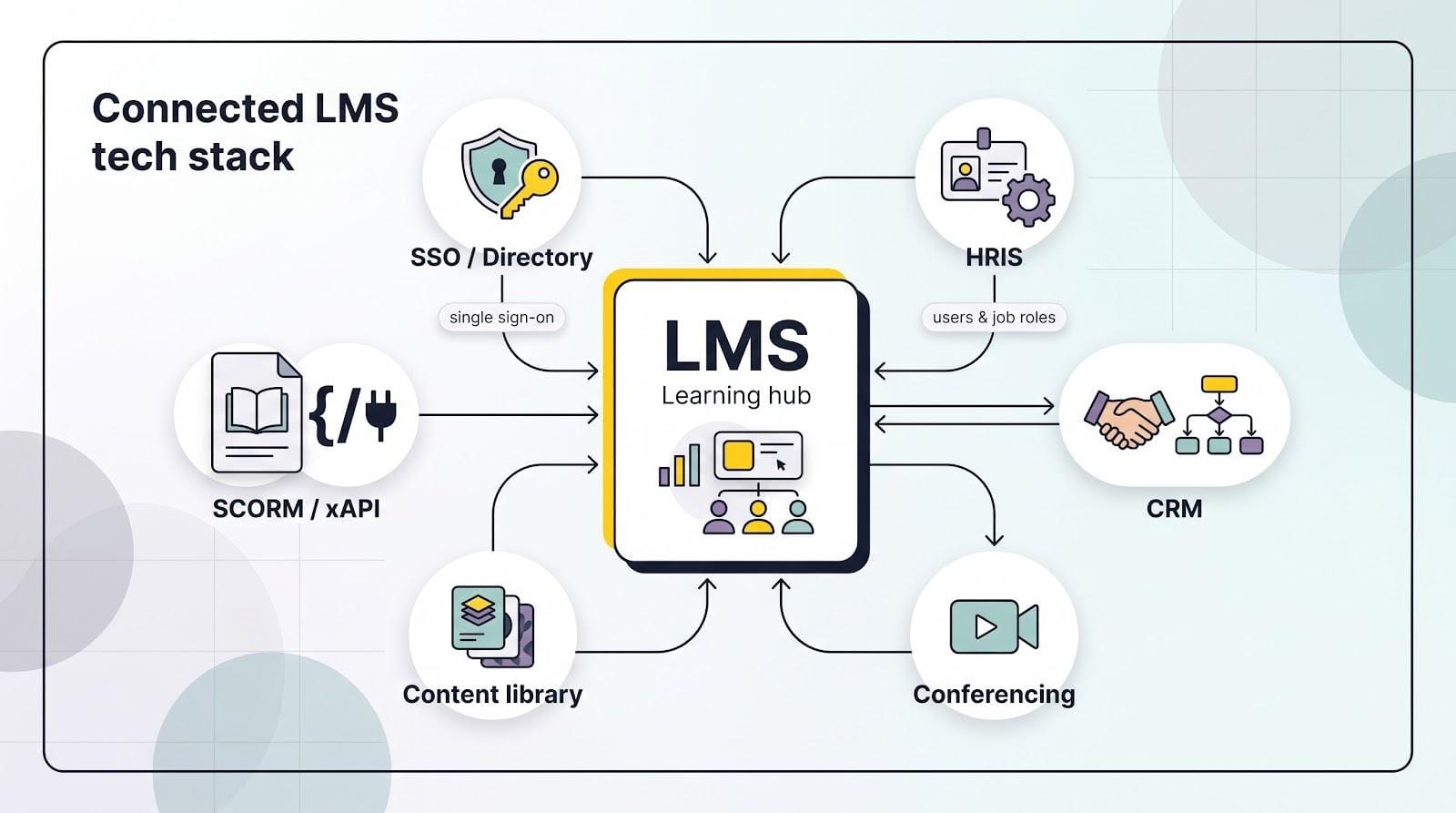
Single sign-on is the first checkpoint. Tie the platform to Microsoft, Google, or Okta and you erase a chronic headache: forgotten credentials. According to Okta’s 2025 Businesses at Work report, companies that roll out SSO cut password-reset tickets by 30 percent. SSO also closes security gaps because accounts deactivate the moment HR updates your directory.
Next comes data flow. A clean HRIS connection sends every new hire to the right onboarding path before day one. Connect your CRM and partner-training completions can appear beside sales metrics. Fewer spreadsheets, no midnight “who owns this roster?” emails.
Content standards matter too. SCORM remains the passport that lets you import third-party courses without repackaging. xAPI adds richer analytics if you want deeper insight later. Insist on both so you never repaint the house just to move furniture.
Before you shortlist any vendor, sketch a must-connect map: directory, HR system, conferencing tool, perhaps a content marketplace. Ask the salesperson to demo each link live. If they offer promises instead of proof, keep shopping.
4. Content creation and micro-learning support
Great content powers every learning strategy, yet mid-size teams rarely have the time to storyboard elaborate courses. Built-in authoring tools solve that gap. When an LMS lets you drop in a slide deck, trim a short video, and auto-create quiz questions, subject-matter experts can publish training the same afternoon the need appears.
Micro-learning pushes the speed advantage further. Picture five-minute lessons employees finish between service calls. Adoption is soaring: 72 percent of organizations now include micro-learning in their training mix, according to LinkedIn Learning’s 2025 Workplace Report. A 2024 ATD study adds that courses under ten minutes see completion rates of 83 percent, compared with 35 percent for longer modules. Quick wins keep motivation high because learners see progress after every coffee break. Law firm AWKO put that theory to the test: after converting its onboarding slide decks into five-minute GoSkills micro courses, it logged a 95 percent completion rate across more than 200 employees, according to a 2026 case study.
Look for three practical features. First, a responsive player that keeps those quick hits just as smooth on a phone, tablet, or laptop. Second, native support for SCORM, xAPI, and similar standards so you can import interactive modules or export them later without rework. Third, optional content libraries stocked with ready-made compliance or soft-skill courses, useful when deadlines outpace production capacity.
Run a trial sprint: give a department lead one hour to turn an existing slide deck into a branded micro course. If they cross the finish line without calling IT, you have a creation engine—not a bottleneck.
5. Reporting and analytics
Training without measurement is guesswork. Executives want proof that courses create impact, managers need to spot at-risk learners early, and audit teams expect airtight records. Strong analytics pull those threads together in minutes, not days.
Start with the basics. A clear dashboard should show completions, quiz scores, and overdue assignments at a glance. Filter by department, location, or job role and you will know exactly where to nudge participation. Smart systems even email those snapshots to managers every Monday, saving the weekly export ritual.
Dig deeper and the platform should let you build custom reports, such as linking sales certification data to pipeline growth or overlaying safety training with incident rates. In a 2025 CIPD survey, firms that tied learning metrics to business KPIs were 46 percent more likely to increase their L&D budgets.
Look for ad-hoc capability as well. Auditors rarely warn you in advance; you need to pull “who completed which policy, on what date” while the coffee is brewing. If that takes more than a few clicks, keep evaluating.
Lastly, think ahead. Some vendors now surface predictive signals, highlighting learners likely to miss deadlines or recommending next courses based on skill gaps. You may not need tomorrow’s forecast today, but choosing a platform that already crunches the numbers keeps you ready for the questions leadership will ask next quarter.
6. Compliance and certification management
Regulators never accept “we tried.” They want proof: time-stamped, audit-ready, and complete. A reliable LMS automates that proof so you can sleep at night instead of chasing spreadsheets.
Begin with certification tracking. The platform should let you bundle several courses into a credential, set an expiry date, and re-enroll learners automatically when renewal time approaches. No manual reminders, no lapsed forklift licences.
Add automated escalation. Miss a due date and the system nudges the learner, then the manager, then the person who signs the insurance paperwork. Programs with certification tracking record 28 percent higher course-completion rates, according to Atrixware’s 2026 LMS Statistics Report.
Auditability is the final guardrail. A good system keeps version history showing exactly which policy, quiz, or SOP a learner viewed on each date. When an inspector asks for evidence, you export a PDF and move on with your day.
Pressure-test every vendor. Create a mock “Annual Safety” course, assign it to a test group, and fast-forward the deadline. If the LMS cannot show who passed, who failed, and which reminders went out, keep looking.
7. Mobile and remote learning
Work happens everywhere now, on factory floors, in client lobbies, and at kitchen tables. Training must tag along. A mobile-ready LMS turns downtime into development time and keeps remote teams on the same learning pulse as headquarters.
First, check the learner view on a phone. Menus should resize cleanly, videos play without pinching, and quizzes accept fat-finger taps without frustration. If scrolling feels like a chore on a sample course, adoption will stall in the field.
A dedicated app adds extra value. Push notifications nudge busy staff toward deadlines, and offline mode lets a technician finish a safety module while coverage flickers. Progress syncs the moment they reconnect, so no one loses credit. Deloitte’s 2025 Digital Workplace survey found that 64 percent of frontline employees finish training exclusively on mobile devices.
Mobile support is more than convenience; it lifts engagement. Micro-courses see 80 to 90 percent completion rates, compared with roughly 30 percent for long-form eLearning, according to LinkedIn Learning’s 2025 Workplace Report. Pair that momentum with responsive design and you extend learning to every corner of the organisation, no desk required.
8. Customization and scalability
Your business today is not your business tomorrow. The LMS you choose has to keep pace with new brands, languages, and head count without a costly rebuild every eighteen months.
Branding comes first. Swap colours, logo, and domain so learners feel at home the moment they log in. If you train customers or partners, look for multi-portal capability: each audience sees its own skin and catalogue while you manage everything from one dashboard.
Next, permissions. As teams grow, central admins cannot field every request. Role-based access lets regional managers enrol staff, view local reports, and upload content without touching global settings. That delegation scales operations and tightens data privacy in a single move.
Finally, check the licence ceiling. Some small-biz platforms throttle storage or user seats at arbitrary tiers. Ask the vendor for the largest client they support and what happened technically when that client doubled users. Fosway Group’s 2025 Digital Learning Realities survey found that 57 percent of organisations hit scalability limits within two years of purchase, so press for proof before you sign. A candid answer reveals whether the architecture can ride your growth curve or collapse under it.
9. Vendor support and customer success
Software alone never fixes training pain. The people behind the platform—implementation coaches, help-desk agents, and community peers—turn code into outcomes.
Your rollout is the first stress test. A dedicated success manager who maps old courses to new structures and trains your admins can shave weeks off launch. If the vendor leaves you with a PDF and good wishes, expect late nights and frustrated stakeholders.
Day-to-day support matters just as much. When a report refuses to run at quarter-end, you need real-time chat, not a 48-hour ticket queue. Check reviews, call reference clients, and even open a support ticket during the trial. The speed and clarity of the reply reveal the culture you are buying.
Look for an active user community too. Forums and virtual meet-ups turn isolated questions into shared best practices, giving a mid-size team the brain trust of an enterprise without hiring extra staff.
Choosing an LMS is entering a long-term partnership. Pick the vendor whose team feels like an extension of yours, and the platform’s value compounds every quarter.
10. Security and data privacy
Training data contains sensitive details such as names, emails, performance scores, and policy acknowledgments tied to legal audits. A breach erodes employee trust and invites regulators to your doorstep.
Buyers understand the risk. A 2025 Capterra survey found that 50 percent of U.S. organisations rank security as the top software criterion, ahead of functionality and ease of use. IBM’s 2025 Cost of a Data Breach Report puts the average incident at $4.6 million, so your LMS must pass a security check before you discuss features.
Start with hard evidence. Ask each vendor for a security white paper, a current SOC 2 or ISO 27001 certificate, and a documented backup schedule. Daily encrypted backups and a tested disaster-recovery plan are non-negotiable. Demand encryption everywhere: TLS in transit and AES at rest.
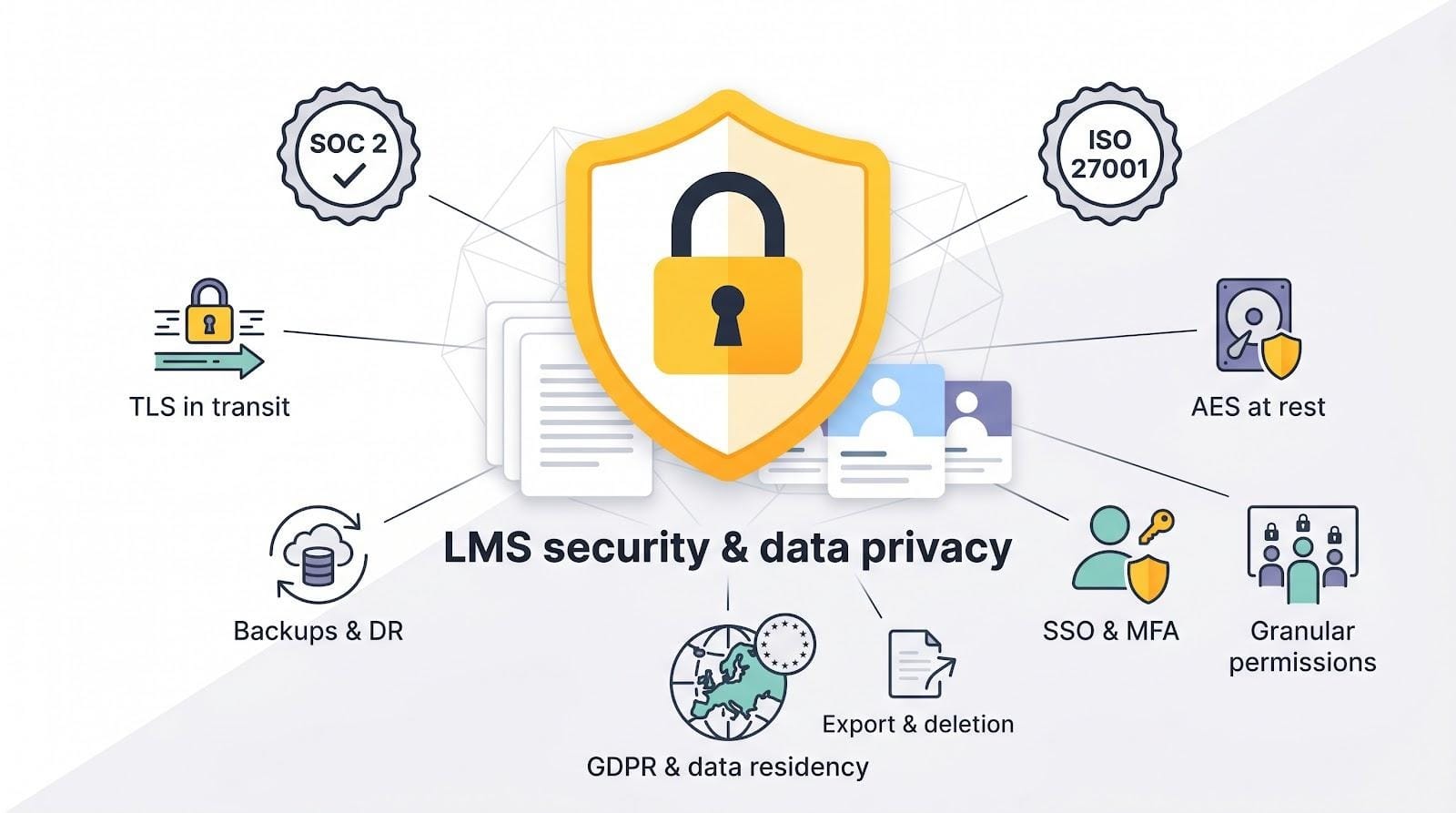
Then examine access controls. Single sign-on links accounts to your identity provider, and multi-factor authentication blocks credential stuffing. Granular permissions let managers view only their own teams’ data, which keeps privacy auditors calm.
Finally, confirm data-residency options. If you employ staff in the EU, you need GDPR-compliant hosting, clear data-processing agreements, and a straightforward user-data deletion workflow. Ask the vendor to demonstrate the process live; seeing an export and deletion in real time beats any slide deck.
Security is not an upgrade path. If a platform cannot answer these questions on day one, walk away. No feature roadmap is worth the risk.
11. Innovation and future-readiness
Learning tech evolves faster than most strategic plans. Future-ready platforms already combine three threads: artificial intelligence, social collaboration, and gamified motivation, so you upgrade outcomes instead of chasing trends.
Artificial intelligence leads the charge. Eighty-seven percent of L&D teams already use AI tools to draft quizzes, translate videos, or recommend next courses, leaving only thirteen percent on the sidelines, according to Synthesia’s 2026 AI in Learning Report. Gartner’s 2026 HR Tech Hype Cycle adds that companies with AI-driven personalisation cut content-development time by 28 percent. An LMS that bakes these helpers in trims production cycles and tailors learning paths without fresh head count.
Social learning keeps the momentum. Discussion boards, peer video posts, and up-vote Q&A turn one-way content into conversation. Knowledge spreads laterally, managers spot real-time expertise, and engagement charts climb without extra budget.
Gamification locks in progress by adding stakes. Badges, points, and friendly leaderboards turn “finish module three” into a mini victory. Courses with gamified elements reach a 90 percent completion rate, compared with 28 percent for nongamified content, according to TalentLMS’s 2024 Gamification Survey. The lesson is simple: play drives persistence.
Ask every vendor two crystal-ball questions: Which AI features ship today, and how often do you release updates? A confident roadmap and a quarterly release cadence show the engine is still warm. Pick that partner and your LMS will feel fresh long after today’s buzzwords settle into standard practice.
Wrapping up: turn this checklist into action
You now have eleven concrete filters to run every vendor through. Start by short-listing platforms that clear the table-stakes: ease, cost fit, and integrations. Next, score the front-runners on accelerators like micro-learning, analytics, and mobile reach. Finally, review each contender’s roadmap, security posture, and support culture to confirm the system will grow with you, not against you.
Put the list to work right away. Invite two or three vendors to demo calls, hand them this article, and ask them to show, not just tell, how they meet each factor. Record the sessions, add a quick 1-to-5 score beside every criterion, and you will have an unbiased decision matrix by Friday.
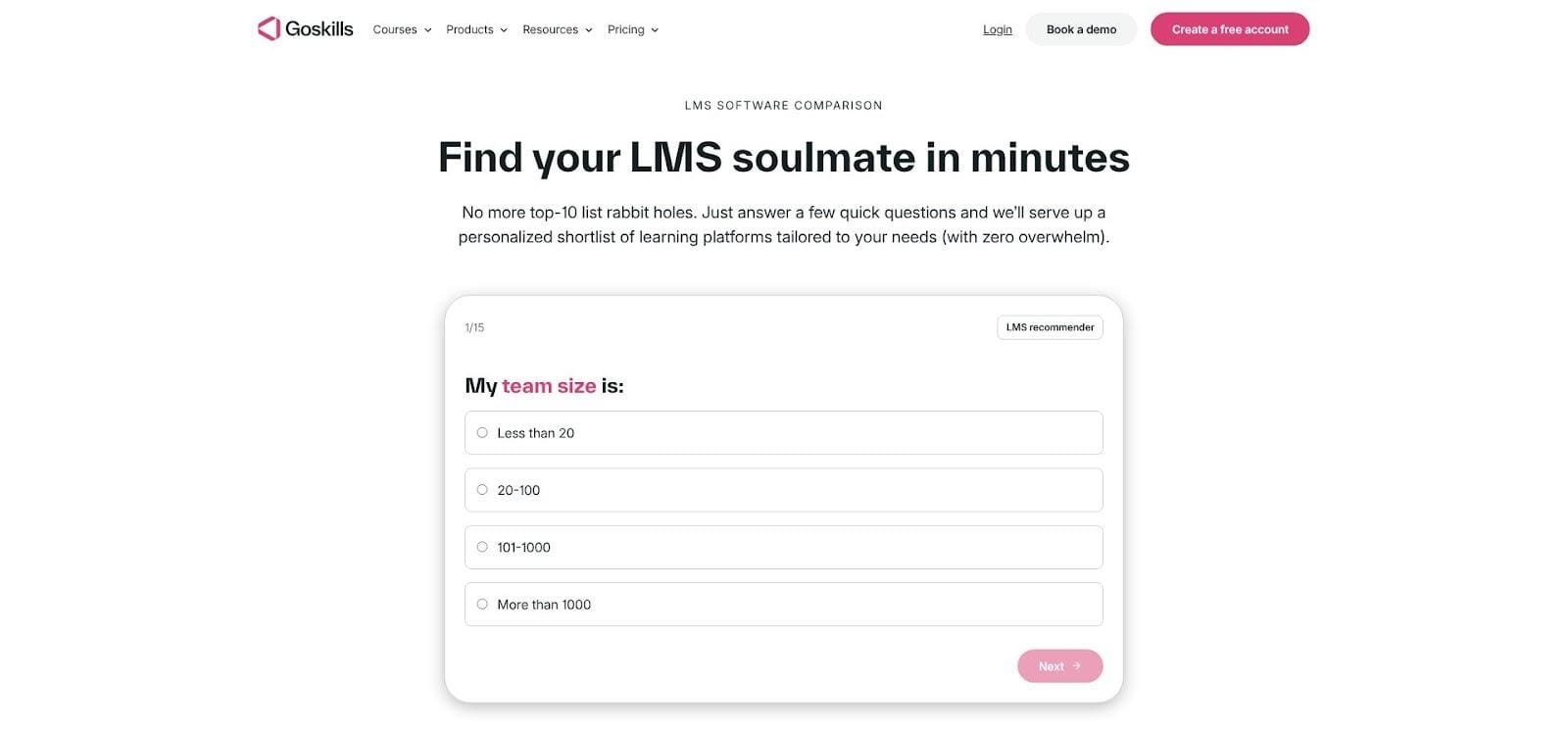
If you want a head start, our side-by-side grid compares popular LMS options on these factors. You can read the full comparison and even spin up a free trial to see the principles in action.
Choose well and your new LMS will do more than deliver courses. It will shorten onboarding, tighten compliance, and give every employee a clear path to new skills, giving you fuel for the growth story you are writing next.


